Find your NFC antenna
Here's a neat trick: the locks in The Woods have no battery. Your door borrows a little power from your phone to spring open, and that power hops across through the NFC antenna tucked inside your phone. So the secret to a smooth swipe is simple — line that antenna up with the lock.
Hold your phone flat against the reader, stay still, and give it a few seconds. If nothing happens, your antenna probably isn't sitting where the lock can reach it. Slide your phone around a touch until the two find each other.
First, switch NFC on
- iPhone — NFC is always on. Nothing to do here.
- Android — flip NFC on in your settings. Search "NFC" in settings and you'll spot it.
When you open a lock with WoodsApp, your phone might pop up an NFC prompt. Tap to allow it and you're good to go.
Where's the antenna on your phone?
Every phone hides its NFC antenna in a slightly different spot. Find yours below.
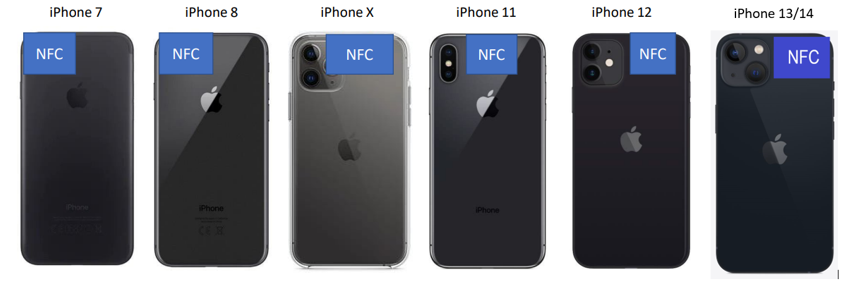
iPhone
Top of the phone, right next to or just below the camera. Same on every iPhone.
Samsung
It moves around from model to model. Lucky for you, Samsung keeps a handy overview — look up your Samsung.
Google Pixel
Also varies by model. Google has you covered too — look up your Pixel.
Oppo, Motorola, and OnePlus
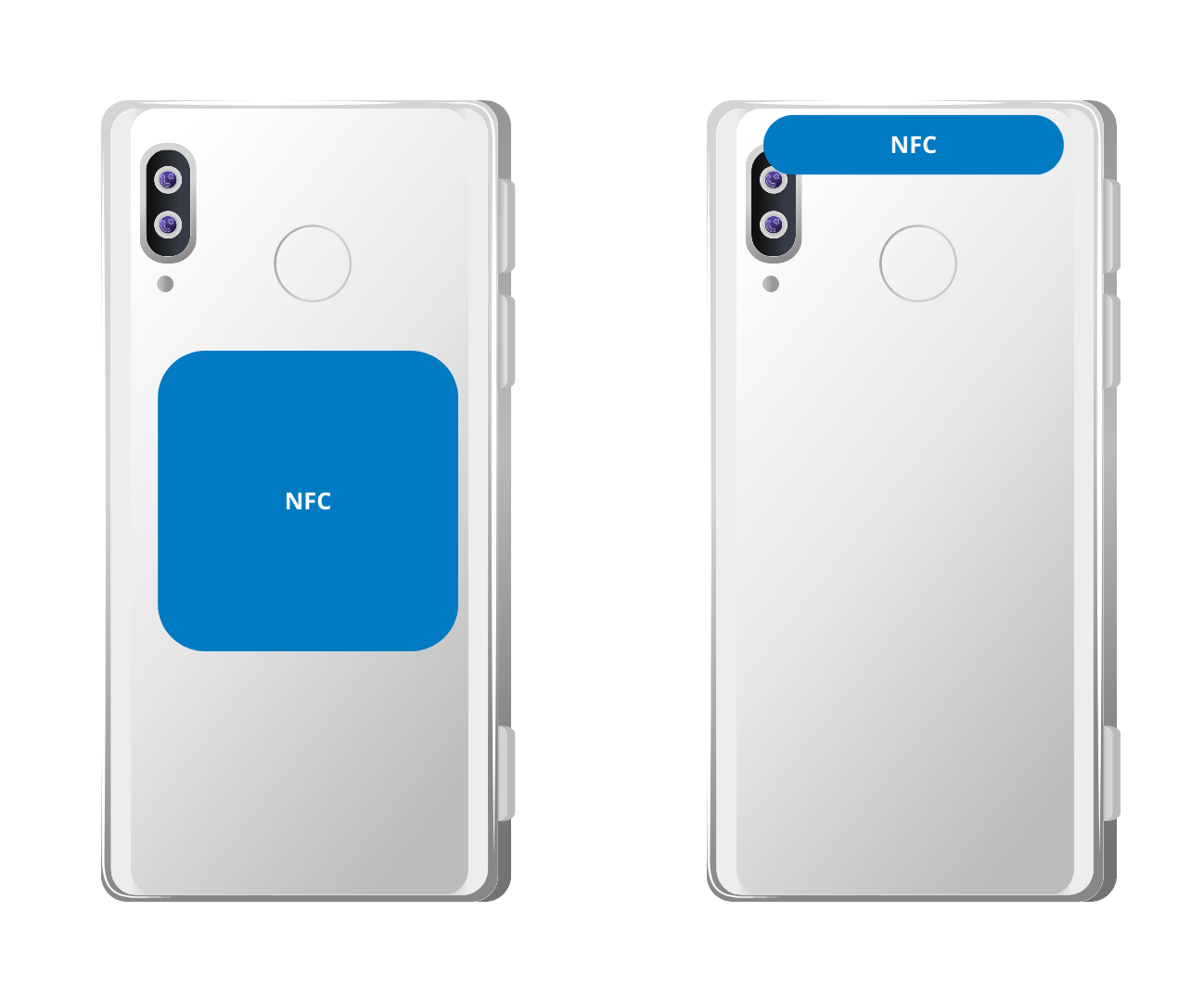
These almost always keep the antenna in the middle or near the top of the phone. Start there and you'll likely hit the sweet spot.
Xiaomi (plus Poco and Redmi)
Xiaomi phones run a custom flavor of Android that treats NFC its own way. A few things to check:
- Make sure your model actually has an NFC antenna — not all of them do.
- Turn NFC on in settings. The spot changes per model, so try the middle and the top.
- Opening a lock with WoodsApp should trigger an NFC prompt on your phone.
- Still no luck? In your NFC settings, clear the NFC cache or reset NFC, then try again.
Still no click?
Take a breath — it's almost always a positioning thing. Move slowly, keep your phone flat, and let the antenna and the lock meet. Once they do, you'll see a green check and feel a little buzz. Door's open. Welcome home.
Want the full key setup? Head back to your digital keys.